Create a React Page
Create a React Page
For more complex layouts and interactive features, you can create pages using React components. This gives you full control over the design and behavior.
Where to create React pages
Add React (.js or .jsx) files to /src/pages/ to create standalone pages:
src/pages/index.js→localhost:3000/src/pages/foo.js→localhost:3000/foosrc/pages/foo/bar.js→localhost:3000/foo/bar
Create a simple React page
Create a file at src/pages/my-react-page.js:
import React from 'react';
import Layout from '@theme/Layout';

export default function MyReactPage() {
  return (
    <Layout>
      <h1>My React page</h1>
      <p>This is a React page</p>
    </Layout>
  );
}
A new page is now available at http://localhost:3000/my-react-page.
Create a page using cardano.org components
To create pages that match the cardano.org design, use our standard components:
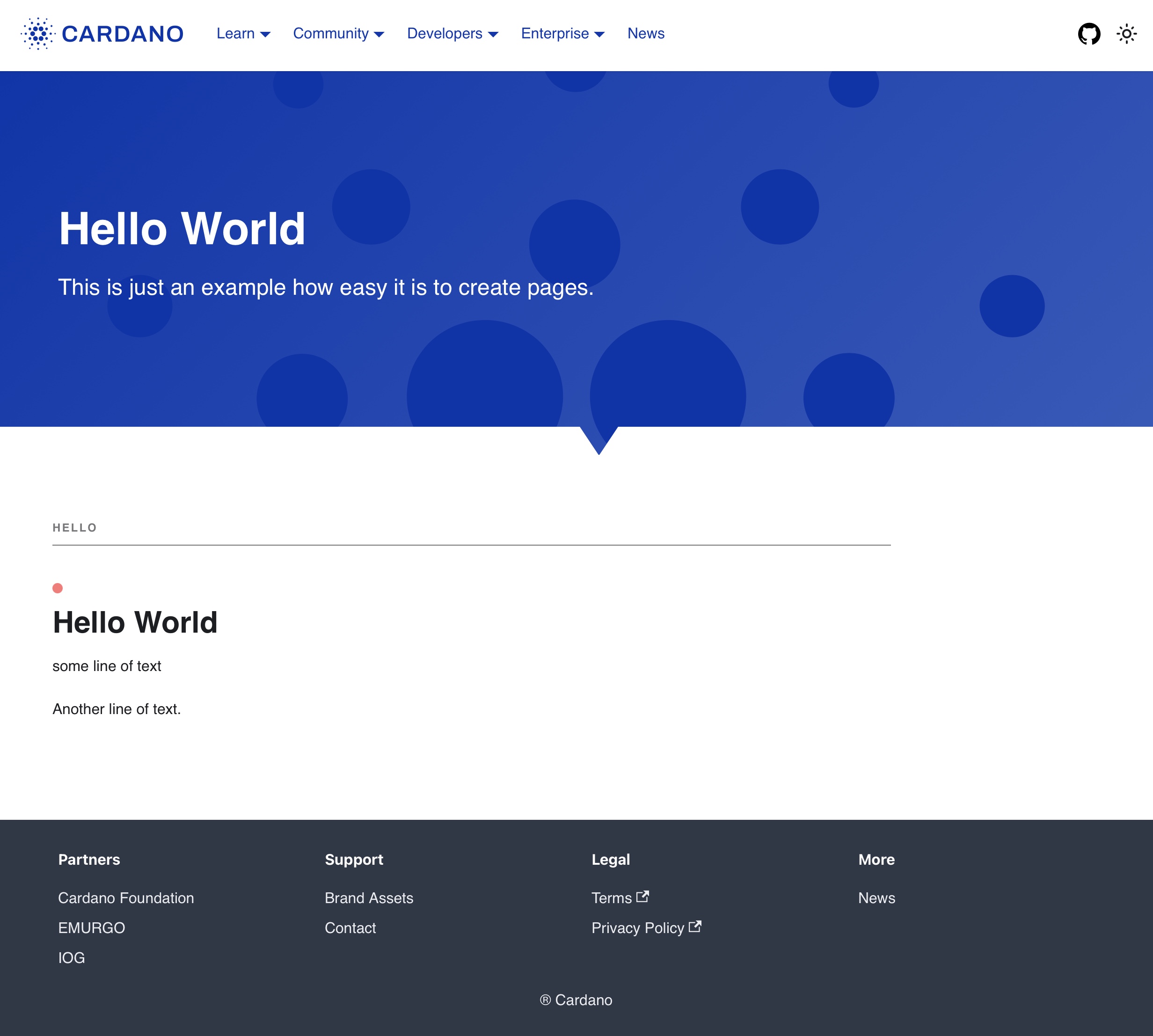
Create a file at src/pages/hello-world.js:
import Layout from "@theme/Layout";
import SiteHero from "@site/src/components/Layout/SiteHero";
import BoundaryBox from "@site/src/components/Layout/BoundaryBox";
import Divider from "@site/src/components/Layout/Divider";
import TitleWithText from "@site/src/components/Layout/TitleWithText";

function HomepageHeader() {
  const { siteTitle } = "useDocusaurusContext()";
  return (
    <SiteHero
      title="Hello World"
      description="This is just an example how easy it is to create pages."
      bannerType="starburst"
    />
  );
}

export default function Home() {

  return (
    <Layout
    title="Cardano - making the world work better for all"
    description="An open platform designed to empower billions without economic identity by offering decentralized applications for managing identity, value, and governance."
    >
      <HomepageHeader />
      <main>
        <BoundaryBox>
          <Divider text="Hello" />
          <TitleWithText
            title="Hello World"
            description={[
              "some line of text",
              "Another line of text."
            ]}
            titleType="black"
            headingDot={true}
          />
        </BoundaryBox>
      </main>
    </Layout>
  );
}
A new page is now available at http://localhost:3000/hello-world and it will look like this:
Select different Site Hero designs
The <SiteHero> component allows you to easily switch the header design by changing bannerType=. In our hello-world example try setting it to ada, waves or starburst. For a full list of banner types visit the component documentation.
<SiteHero
      title="Hello World"
      description="This is just an example how easy it is to create pages."
      bannerType="ada"
    />
Add more text
Add more text with another <TitleWithText> component. This time set headingDot to false.
<TitleWithText
      title="Title without the dot"
      description={[
        "some line of text with some **styling** in bold.",
        "Another line of text with an [link](https://developers.cardano.org)."
      ]}
      titleType="black"
      headingDot={false}
    />
Add more components
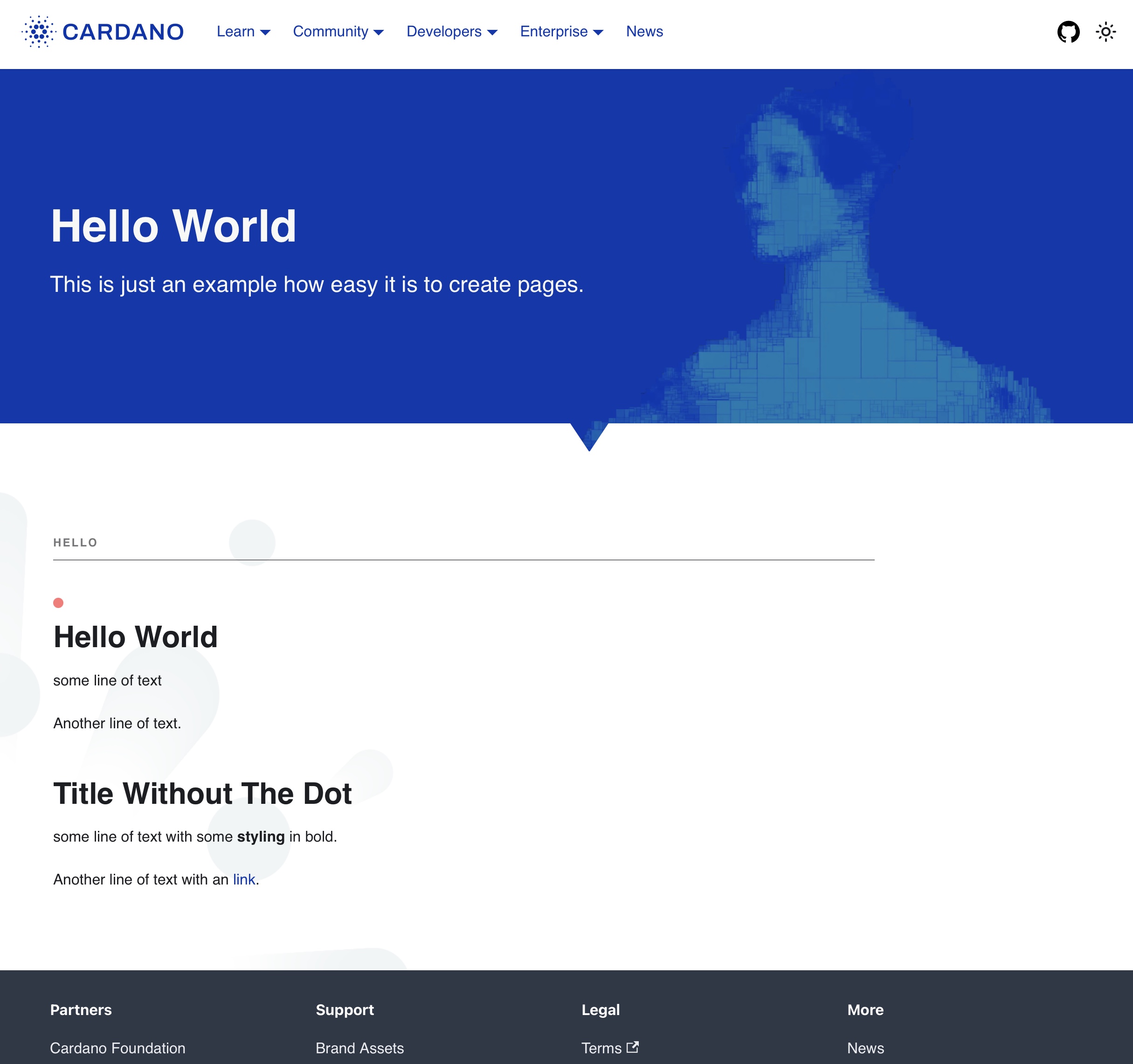
To add a little bit of space at the end of the content we add the <SpacerBox> and to change the background we will wrap everything in a <BackgroundWrapper>. Please apply the highlighted changes:
import Layout from "@theme/Layout";
import SiteHero from "@site/src/components/Layout/SiteHero";
import BoundaryBox from "@site/src/components/Layout/BoundaryBox";
import Divider from "@site/src/components/Layout/Divider";
import TitleWithText from "@site/src/components/Layout/TitleWithText";
import SpacerBox from "@site/src/components/Layout/SpacerBox";
import BackgroundWrapper from "@site/src/components/Layout/BackgroundWrapper";

function HomepageHeader() {
  const { siteTitle } = "useDocusaurusContext()";
  return (
    <SiteHero
      title="Hello World"
      description="This is just an example how easy it is to create pages."
      bannerType="ada"
    />
  );
}

export default function Home() {

  return (
    <Layout
    title="Cardano - making the world work better for all"
    description="An open platform designed to empower billions without economic identity by offering decentralized applications for managing identity, value, and governance."
    >
      <HomepageHeader />
      <main>
        <BackgroundWrapper backgroundType="zoom">
          <BoundaryBox>
            <Divider text="Hello" />
            <TitleWithText
              title="Hello World"
              description={[
                "some line of text",
                "Another line of text."
              ]}
              titleType="black"
              headingDot={true}
            />

          <TitleWithText
                title="Title without the dot"
                description={[
                  "some line of text with some **styling** in bold.",
                  "Another line of text with an [link](https://developers.cardano.org)."
                ]}
                titleType="black"
                headingDot={false}
              />
          </BoundaryBox>
          <SpacerBox size="medium" />
        </BackgroundWrapper>
      </main>
    </Layout>
  );
}
Result
Your hello world page at http://localhost:3000/hello-world will now look like this:
Available components
Explore all available components to build rich pages:
- SiteHero - Page headers with different banner designs
- BoundaryBox - Content container with proper margins
- BackgroundWrapper - Background patterns and colors
- Divider - Section dividers with optional text
- SpacerBox - Vertical spacing
- And many more...
When to use React vs Markdown
Use Markdown when:
- Creating documentation pages
- Writing blog posts
- Content is mostly text with simple formatting
Use React when:
- Building interactive features
- Creating custom layouts
- Need precise control over design
- Integrating with APIs or external data
For most documentation contributions, Markdown pages are recommended for their simplicity.